Writings

My Epic Life Quest Goals for 2015

Brent Ozar has an Epic Life Quest.  He’s on Level 5.

I’ve spent most of my professional career wandering aimlessly; working on whatever excited me, going from point A to point B, but never actually planning out my path. I’ve always been a “Yea,-that-sounds-good-and-go” sort of developer.

I’m not at a point where I can do that anymore.  I could coast if I wanted to — but I don’t. I want to double down and be the best I can be.

They say that up until 30, you make your habits; after 30, your habits make you.  I’m challenging that.

To that end, here are my Level 1 Goals:

  • Finally launch Stack Stats (seriously, I mean it this time)
  • Give a User Group Talk on SQL Server Disaster Recovery in AWS
  • Give a User Group Talk on ASP.NET vNext
  • Give 3+ Dev talks at work
  • Complete and Launch my first IoT project
  • Blog (at least) once a Week for 52 weeks
  • Get back down to 160 Lbs (179, currently) and stay there.

Challenge Accepted.

Gotchas with Windows Services

In trying to deploy a Windows Service using MSBuild, I learned a few neat things about them.

You can stop, start, create, or delete a Windows Service through the administrator prompt command line:


sc create "AWindowsService" binpath= "C:\Weee\Service.exe"
sc delete "AWindowsService
sc start "AWindowsService"
sc stop "AWindowsService"

You can also do this for another server in your domain, by providing its UNC path:


sc \\ServerName create "AWindowsService" binpath= "C:\Weee\Service.exe"
sc \\ServerName delete "AWindowsService
sc \\ServerName start "AWindowsService"
sc \\ServerName stop "AWindowsService"

When creating a Windows Service, you can decide how it should start up.

Common options:

sc config AWindowsService start= delayed-auto
sc config AWindowsService start= auto
sc config AWindowsService start= demand

Much like other command prompt commands, the name of the service needs to be in quotes if it has spaces in it:


sc start "A Windows Service"
sc start AWindowsService

The spaces for the options are required:


sc \\ServerName create "AWindowsService" binpath= "C:\Weee\Service.exe"
^ Required
sc config AWindowsService start= demand
^ Also Required

If you’re trying to delete a service, you can’t have services.msc running, nor can the service be open, and you can’t have Process Explorer running either (h/t to “StingyJack” in this Stack Overflow answer).

If you create a service with the wrong bin path, it won’t be able to start; you’ll have to modify the bin path or delete and re-create the service.

Other Resources:

The Time I Tried to Deploy a Windows Service using TFS and MSBuild

Over the course of the past week(!), I’ve been attempting to deploy and install a Windows Service using MSBuild (Specifically as driven by TFS, but it’s all MSBuild under the covers). This blog post details what I’ve tried, what didn’t work, and what the problem is (and how I solved it). It also details all of my research on the topic.

If you can see something I’m missing, please leave a comment. For the rest of you, consider this guilt free schadenfreude.

Here are the constraints:

  • Deploy a Windows Service to a Windows Server joined to the Domain (Same domain as the Build Server)
  • Ensure that the service is created (if it doesn’t exist), and started after the deployment process is complete.
  • Able to deploy through TFS using MSBuild
  • The Windows Service is kept in a standard directory on the target server (for our purposes, let’s say it’s E:\Services, or UNC Path: \\DeployedServer01\E$\Services
  • Do not change the existing code for the Windows Service (e.g., put it in an installer, or make it self installing).

The problem I’m running into is “destination directory is null or cannot be accessed.”

Here’s what I’ve done so far.

I’ve created the MSBuild project (called deploy.proj) as lined out in this blog post.

I also have the .bat files necessary to create, delete, stop, and start the service that are listed in this gist.

Aside: Neat Things I learned about Windows Services

I used the following MSBuild command to run the build (actually, I ran it through TFS, but if I were running it from the command line, it’d look like this):

msbuild deploy.proj /p:DeploymentServer=”DeployedServer01″ /p:DeploymentServerFolder=”\\DeployedServer01\E$\Services”
Unfortunately, this did not work. The files simply would not copy to the output folder. My next step was to determine why; to do so I needed to know who MSBuild was building the project as.

To debug this issue, I found this neat set of debugging targets for MSBuild:

<Target Name="DebuggingTFSBuild">
    <Message Text=" MSBuildProjectDirectory  = $(MSBuildProjectDirectory)" />   
    <Message Text=" MSBuildProjectFile  = $(MSBuildProjectFile)" />     
    <Message Text=" MSBuildProjectExtension  = $(MSBuildProjectExtension)" />   
    <Message Text=" MSBuildProjectFullPath  = $(MSBuildProjectFullPath)" />     
    <Message Text=" MSBuildProjectName  = $(MSBuildProjectName)" />     
    <Message Text=" MSBuildBinPath  = $(MSBuildBinPath)" />     
    <Message Text=" MSBuildProjectDefaultTargets  = $(MSBuildProjectDefaultTargets)" />     
    <Message Text=" MSBuildExtensionsPath  = $(MSBuildExtensionsPath)" />   
    <Message Text=" MSBuildStartupDirectory  = $(MSBuildStartupDirectory)" />
     <Message Text="  " />
    <Message Text="  " />
    <Message Text=" Environment (SET) Variables*       " />
    <Message Text=" ---------------------------        " />
    <Message Text=" COMPUTERNAME = *$(COMPUTERNAME)*   " />
    <Message Text=" USERDNSDOMAIN = *$(USERDNSDOMAIN)* " />
    <Message Text=" USERDOMAIN = *$(USERDOMAIN)*       " />
    <Message Text=" USERNAME = *$(USERNAME)*           " />
</Target>

I invoked them using:

msbuild deploy.proj /DebuggingTFSBuild

From this, I found out that a Domain user account had been set up to run the build. I then gave that user “Full Control” permissions on the share.

Running the build again, it again failed.

So I did what anyone would do, I escalated. I then added that account to the “Local Administrators” group for that computer. Re-ran the build, and it failed.

I spent some more time trying to debug this solution; specifically trying to use RoboCopy and XCopy in conjunction with this solution; both failed (permissions issues).

To be clear; here’s where I was at at this stage:

  • Was able to successfully Delete, Create, Stop, or Start the service during the course of the build (as outlined in the above solution)
  • Was able to have TFS ‘drop’ the executable and related files to the target server (a drop location in the same share, but different directory)
  • was not able to copy the ‘drop’ folder’s files to the static service location

On to solution #2 (or Solution #4, depending on the permutations) – Copy files to Fixed Location using TFS.

Of course, this didn’t work either. I received the error “TF270001: Failed to copy. The destination directory is null or cannot be accessed.” Have you ever tried a Google search for this issue?

Of course, TFS doesn’t provide any easy way to check the directories, so I had to output the values of the variables into the MSBuild log (this can also be done through an Activity Message in the TFS Template builder).

After double (and triple, and quadruple) checking the source and destination directories, I scrapped this approach, and followed the advice in this Stack Overflow post. At this point, I just wanted to get it to work, enter Solution #5: Hack it.

I used pieces of the original solution; but instead of relying on the agent’s account, I created a Domain Account that had permissions; and then created naked <Exec Command=””/>  to allow me to run the commands needed to copy the files:

<Exec Command="IF NOT EXIST P: net use P: \\DeployedServer01\E$\Services /user:domain\deployUser passw0rd" />
<Exec Command="xcopy &quot;$(OutDir)*.*&quot; P:\* /y" />
<Exec Command="net use P: /delete /y" />

This solution works: It bypasses whatever Windows/Domain authentication issue the build agent user was having, and it ensures the files are copied to the fixed location.

Honorable mentions:

  • MSDeploy: I attempted a solution using MSDeploy, but some of the parameters didn’t make sense, so I didn’t spend much time on it (notably the IISDeployPath — why would I want such a parameter for a Windows Service?)
  • Using mklink to symlink the drop location to the static path. This ran into UNC Path issues that were a pain in the ass (and ultimately unresolvable).
  • Using InvokeProcess to try to CopyDirectory in TFS Build.

In the “Things that should be Apparent but aren’t” category:

  • Why does TFS make it so hard to get the “Drop Location” directory? $(OutDir) refers to the Build server’s build folder, *not* the drop location. Since we are on TFS 2012 (and not 2013), we can’t use any of the ‘nifty’ variables that are in 2013.
  • Why isn’t dropping to a fixed location considered a standard deployment task?
  • Why does the MSbuild Copy Task have poor debugging? Even in Detailed verbosity, there was no information that was useful from that task.
  • Windows Workflow and TFS Build Templates: Truly “Enterprise-y”
  • Why is it so hard to debug authentication issues on TFS? Legitimately, once the user had permissions to those folders, it should have worked. I can only wonder if the user TFS said it was running as was not in fact the user it was running as (although that seems weird, since the build agent had permissions to the drop folder).

Miscellaneous notes on MSBuild and TFS Build:

All in all, I spent 5 days, 70 commits, and 70+ builds to get this to work. I still don’t know why the ‘recommended’ solutions failed; or how to get MSDeploy to play nice with MSBuild and TFS for a Windows Service, but what I do know is this: It shouldn’t take this much effort to be able to deploy a Windows Service. It should be an ‘out of the box’ feature for TFS; along side more useful debugging when it doesn’t work.

Your Constraints Define your Success

Recruiting good developers is hard.  In my own experience hiring developers, One of the things that was the hardest thing for me to learn is that who I worked for and our toolset defined what cross section of developers would apply. I ended up rejecting all the candidates that came across my desk because I didn’t understand that fundamental rule:

Your constraints define who you can recruit.

In my particular case, I worked for a government contractor that worked on a Winforms project for a large government agency.  Our build system was TFS.  The best thing we had going for us was that we were working in C#.  A secret clearance (or the ability to get a secret clearance) was necessary just to step in the door; and that further limited the programmers we were able to hire.

Looking back, it’s really hard to believe how naive I was about this.  Think about today, if someone wanted to hire you for the following:

  • Large Government Contractor
  • A Winforms Project that uses .NET remoting
  • Version Control and build system is TFVC and TFS
  • Bug tracking system is some enterprise software you’ve never heard of
  • You need a secret clearance
  • The project itself is uninteresting
  • 3 month release cycle

Would you take the job?

All other constraints (benefits, pay) being equal, you probably wouldn’t.  In fact, let’s say you had to choose between this job at 120K, and the following job at 87K?

  • Small, private company that has worldwide brand recognition and a has purpose driven mission.
  • Working on many different projects across languages and frameworks
  • Whatever tools you need to get your job done
  • A polyglot platform shop
  • Git for version control, Octopus deploy / Fabric for releases
  • You pick your developer set-up
  • Agile; continuous delivery

For me, at least, that jump is worth it.  Being well paid but working in a dead-end technology and not having the ability to learn new things just doesn’t compete.

More-so than ever before, our developer tools are evolving at a rapid clip. Just a few years ago git was still used only by the bleeding edge of developers; and now it’s being used by multiple teams at Microsoft.  Microsoft even included support for Git in early 2013 for TFS.

The quality of developer you’re able to recruit is inversely proportional to your constraints. If your environment exudes an atmosphere of “We can’t change”, then you won’t attract good developers; at best you’ll attract developers who are comfortable with your toolset (unnecessarily limiting the talent pool).  The lower the constraints on what your developers are allowed to use, the broader your talent pool.

Today, Webforms is already out of mainstream popularity, .NET 3.5 is falling to .NET 4.5, and TFS  even loses to Github for teams that work at the company that made TFS!  If you’re still targeting your team to what was popular in 2011, you’re going to miss what’s next.

If you’re the manager of developers, you may not stay up to date with the latest trends. That’s ok, because developers are pretty ornery creatures. We’ll tell you when we think something is broken.  If your developers are complaining about your tool chain, that’s a sign that the tools don’t meet their needs.  Instead of doubling down (because of sunk costs), ask them why, and be prepared for the answer. It may not be the cheap answer, but it is what they believe.  If you give your developers the latitude to fix problems in code, why not give them the latitude to fix problems in their tools?

Your Constraints define who you retain.

I’m not saying you should chase technologies, for instance the JavaScript framework de jour, but you should keep an eye on trends; and where the broader programmer community goes, you should as well.

Staying current with tech trends isn’t just about recruiting and retaining your developers, it’s also about making sure they’re staying up to date with their peers.  As the story goes, a CFO asks the CEO, “What happens if we invest time and money to train our people and they decide to leave?” To which the CEO responds:  “What if we don’t train our people, and they decide to stay?”

There are some things you just can’t change: If you work for a large corporation or government contractor, you can’t change that.  What you can change is your internal developer culture. Keep it fresh.  If you’re still using Perforce or TFS and your developers are complaining, consider moving to Git. Both TFS and Perforce support git now (I wonder why that is?).  If you hear complaints about your work item tracking system, consider moving to something less painful, like Trello.

The more core a technology is to your system, the harder it is to change.  The great thing about your toolchain is that unless you have a pretty messed up work flow, they’re not core to your business. They’re tools. They can change (and they should be able to change pretty easily).

Your constraints define how well you can compete.

If your business isn’t willing to change to embrace new technologies, your competitors may be willing to. While you’re dealing with branching and merging issues with Perforce or TFS, your competitors are easily able to deploy new features and handle complexity.  Every moment lost because your toolchain doesn’t meet your needs is another moment you lose to your competition.

If you want to recruit the best developers, keep your best developers, and compete in the marketplace, remember, your constraints define your success.

Top Ten Things You probably didn’t know about Stack Overflow

As a moderator on Stack Overflow, there are certain areas of Stack Overflow that generate the most confusion among both new and older users.   Here are a list of the ten things that are probably the most surprising to users that visit Stack Overflow.

‘Google it’ has never been a valid close reason

This one always surprises older users. If the Eternal September wasn’t bad enough, there’s just the right amount of reputation available on Stack Overflow to people who answer questions that are so basic, they should probably already exist somewhere on the internet.

But, that doesn’t matter on Stack Exchange. In fact, you’re encouraged to ask questions and get canonical answers — otherwise what Good would Stack Overflow be as a canonical repository of useful programming knowledge?

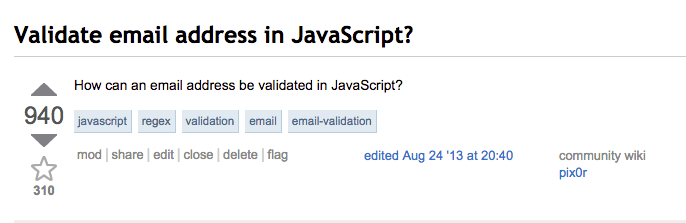
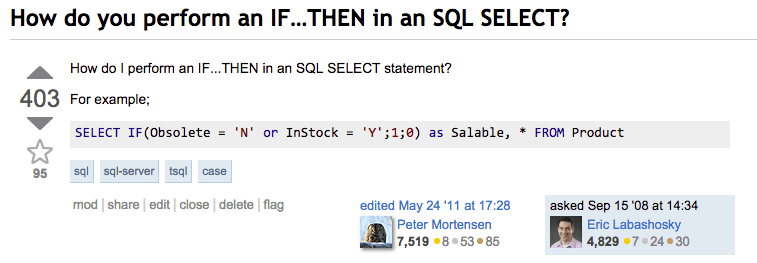
Don’t believe me? Here are just a few of the early questions that were asked:
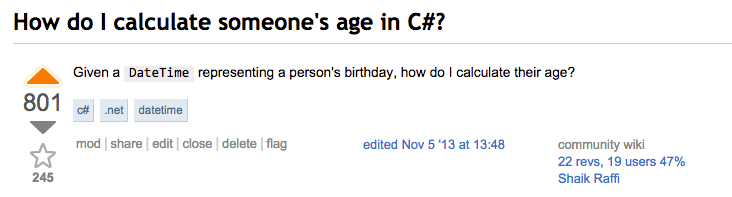
At one point there was an attempt to institute a “General Reference” (google it) close reason, but it failed miserably.

We are actually a do your homework for you site

We will absolutely do your homework for you; so long as you give us everything we need to solve your problem. Our How to Ask page even states what we need to solve your problem; check the fine print: a paycheck isn’t in there.

If you post a code dump, you probably won’t get your answer, but if you take just a teensy amount of time and put it in the form we ask you to, you can get pretty much anything you want.

Moderators sometimes disagree about the best course of action

We’re sort of like the pre-cogs that way. We occasionally disagree about what to do about a flag. This can cause heartburn among programmers (after all, what programmer loves inconsistency?), but it’s absolutely required when dealing with humans. Or, as Everett once said:

Effort doesn’t matter

You heard it here: You don’t have to show any effort to get your problem solved. Mind blowing, right? Once, there was a close reason that people abused because they thought it was for ‘effort’, but it turns out that was incorrect.

In fact, some of the best questions on Stack Overflow have been the ones that have no effort behind them.

There is actually a close vote cabal

If you ever wondered if there’s a roving gang of users that goes around and closes bad questions, there actually is. They hang out in the Tavern. They tag a question with “cv-pls” (Close vote, please) if they think it needs to be closed.

You can say pretty much anything you want on Meta, so long as you back it up.

We love discussion on Meta. Really! In fact, you can say just about anything you want on meta, so long as you back it up. All we ask in meta questions is that:

  • They seek input from the community
  • They’re grounded in actual problems (that’s why we want evidence; because we want to talk about concrete issues
  • They do not reek of rantiness

We love duplicates.

This may be strange; but duplicate questions help us know what people actually search for.

The question title bar even helpfully conducts a search for you when you type in your title.

Screen Shot 2014-12-18 at 9.02.20 AM

We ask that you search for your problem first so that if you do find other questions that appear to cover the same ground, you can tailor your question to why it’s different from the other cases. But on the off chance you don’t find any duplicates, go ahead and post your question! If it is a duplicate, we’ll mark it as such and the next person will be able to find good information, all thanks to you.

If you’re question banned, you can’t see the questions that got you question banned

That’s correct. There’s even a long standing feature request to let users see their own deleted questions, but it was declined. In 2013, Stack Exchange started to allow people to see ‘recently’ (60 day window) deleted posts; but you have to know where to find them. Hint: It’s here for questions and here for answers (check the bottom of the page: ‘deleted recent x‘).

Putting questions ‘on hold’ is there to help you

We may seem unwelcoming when we vote to put your question ‘on hold’, but we’re actually doing it to help you. And us, of course. Ok, so it’s half for us, and half for you. But still, that’s pretty good.

The reason we put questions on hold is to give you a chance to fix them. We’ve found that just leaving comments doesn’t entice a user to fix the problems with their question, and so we take it one step further. Putting a question on hold says, “We need you to do x, y, and z before we can help you”. It helps us because we want questions that are useful to more than one person. If your question doesn’t include the information we need to solve it (or is inherently unsolvable), it can never be useful to another person.

By putting it on hold, we give you an incentive to fix your question (so that you can get it answered), and we ensure that if you do those things, it will be placed into a review queue and re-opened; all done just by editing the question!.

Spelling and Grammar really, really, really matter.

Even if your question is the most obvious question on earth, the time you spend on making it look good matters immensely. Using correct spelling, grammar, and punctuation is the difference between a question ban and a lot of up-votes. If you spend a little bit of time on spelling and grammar, you’ll get it back in spades, even if you ask a lot of questions.

We Just Lost Another Tech Luminary

I turned off Twitter for ten weeks, only to get back on it to connect with other humans during AWS re:invent in Las Vegas. Today, as I was about to turn it off again, I saw a tweet from Iris Classon. Don’t know who Iris Classon is? She’s a C# MVP who writes constantly about programming and different technologies.

She has the ear of many other tech luminaries:

Screen Shot 2014-11-18 at 10.13.47 PM

She has the passion that any company should kill for. Amazingly, she only started programming in July of 2011. She’s accomplished more in three years than most people do in 6.

When I look at what I wish tech were like, she’d be one of the people I’d model tech after. Smart, passionate, approachable, humble, positive. Those are skills every programmer should possess, and reading her blog posts or her twitter account reminds me of that. It’s not enough to be simply good at writing code, and we’ve forgotten that.

But, she’s leaving the social internet. 410, as it were:

Why? I don’t know. I do know that there are asshats out there, though:

Read the whole conversation if that tweet doesn’t make your blood boil. (Screenshot)

And there’s more. Some developer told her that passion doesn’t matter. That developer is dead wrong:

But, of course, that’s not all. She also has to deal with dick pics (Seriously guys, who ever told you it was acceptable to send a picture of your junk over the internet, *to anyone*?)

I’m angry.

At tech. At us. We let this happen. Crap like #Gamergate is appalling enough, but the daily harassment we give to our own is even worse. There are so many instances of this happening that I can’t even do them all justice.

This is not your club, your fraternity, or your man cave. This is our profession. No, it’s not all men, but it might as well be. Either we’re blind to it, or we’re not stopping it when it happens, or we’re not compassionate enough to create a safe space where we can welcome awesome people. That makes us culpable.

It’s bullshit and it needs to stop. Now.

Any time you make a joke at the expense of someone else, ridicule another person, or put your ego before your compassion, you’ve made tech a worse place.

I’m part of the problem. We all are. Until we realize that and work to make it right, we’re going to keep losing awesome people.

Do you really want to change the world? Change tech first.

There’s one simple rule: Treat everyone the way that they want to be treated.

Are we Sadists?

Load Visual Studio; TFS is down. Connect to VPN. TFS still shows ‘offline’. Click ‘Go Online’; it doesn’t take. Close Visual Studio. Re-open Visual Studio. TFS Connects.

Look for CI server for Python. Stumble onto Jenkins. Try to configure it. Go mad. Write CI system.

Use Git. Accidentally wipe History. Push. Realize History is wiped. Ask someone else to push --force and hope they haven’t pulled. Get chastized by internet.

Try to use AWS tools. Download AWS Command Line Tools (AWS CLI). Realize AWS cloudsearch commands don’t convert documents. Documentation says they do. Realize AWS has a separate set of tools for CloudSearch called the ‘CloudSearch Command Line Tools.’ Read AWS Cloudsearch Command Line Tools Documentation. Realize it doesn’t use AWS Credentials file the same way the AWS CLI Tools do. Hardcode keys.

Try to use SQL Server Management Studio on a Mac Book Pro Retina in a Parallels VM. Pain ensues.

Try to use Google’s Two Factor Authentication and One Time Passwords. Try to find One Time Passwords in settings. End up going to Google+ settings. Try again. End up going to Gmail settings. Try again. Fail. Turn off Two Factor Authentication.

Use JavaScript. Get bitten by this.

Upgrade iPhone to iOS 8.1 without doing an iTunes Backup. iTunes fails to update, effectively bricking iPhone. Try to restore from iCloud backup after allowing iTunes to fresh restore. iTunes doesn’t allow a restore from backup after ‘reset phone to factory settings’ is chosen. Lose progress in Worms (Challenge 48).

Attempt to Dual Boot Windows 8.1 and Linux. Spend months trying to get it to work, before troubleshooting causes Windows Boot to stop working. Nuke SSD and start over with an Ubuntu VM.

Have two young children. Get an evening to code after they’re in bed. Load Windows. Windows requires updates. Ignore. Try to install new version of Framework. Windows requires updates. Install Updates.

Have a Windows PC updating. Get on Mac Book Pro and dive into Xcode. Need new version of Framework. Mac requires updates. Ignore. Try to install new version of Framework. Mac requires updates. Install Updates.

Have a Mac PC updating. Try to watch Amazon Instant Video. Start Smart TV. Start Amazon. Wait for Amazon to upgrade. Buy TV Show. It stalls on “Still Loading your Video.” Turn off TV. Turn TV back up. Start Smart TV. Start Amazon. Watch show.

Wife wants to update iPhone to 8.1. Installer claims not enough space. Deletes all Apps. Not enough space. Moves all photos to Photo stream. Not enough space. Buys more iCloud Space. Update downloads.

Attempt to look at WordPress.com settings. Claims I have to sign in using 2FA. Click on “Stats. Click on “dashboard”. Get To blog settings without signing in to 2FA.

Upgrading to Yosemite causes USB Keyboards to stop working

Since Yosemite is now Generally Available, I decided to download it and install it on my Late 2013 Mac Book Pro Retina, 15 inch edition.

That was a mistake.

My USB Keyboard no longer works; and given the internet results, it seems that’s a common problem.

I guess I need to treat Mac OSX releases like I do Windows releases: Always wait for SP1.

I’ll update this post as I know more.

Edit: I’ve tried the steps in this content farm article to reset the System Management Controller, No Dice.

Edit 2: After resetting the SMC and walking away from my computer for 20 minutes (enough time for it to be asleep for 10), I woke it out of sleep and it recognized the keyboard again.

It’s unclear whether resetting the SMC is a requirement; but it does work now.

For reference, I have a Microsoft Natural Keyboard.

Three Small Things A Day

I’ve been on and off the productivity wagon for a while now. Sometimes I’m on, sometimes… well, sometimes I’m off.  I used to think there was some secret to being productive.

There isn’t, but it took me 10 years to realize it.

Along the way, I’ve tried Getting Things Done (think of it like a colon cleanse for your workload —  It hurts while doing it, but you feel great after), I’ve tried Todo lists, I’ve tried the carrot approach (work for 45 minutes, get to take a 15 minute gaming break); I’ve even tried the “Tell my wife what I’m doing so she can heckle me if I don’t get it done” approach.

All of these aren’t secrets to being productive; they are ways to trick my mind into working.  That would work, except that my mind is more stubborn than I am.

One thing has stood out, and I have Jeff Atwood to thank for it:

What three things do you need to do today?

You should be able to instantly answer this simple question, each day, every day, for the rest of your life. Without any tools other than the brain you were born with.

If you don’t have this skill, develop it. Practice, starting today. Right now.

What are you doing right now? Is it going to somehow result in one of those three things getting done today? Will this you get you to where you need to be by the end of the day?

The “Three Things” trick has helped me focus only on what I need to do right now.  Scott Hanselman calls it The Rule of Three, but it’s the same thing:

DO SMALLER THINGS

Paint House is too big and too stressful for a single item on your TODO list. Break it up like Select Color, find Paint Store, Buy Paint, etc. Focus on the Rule of Three. Three Successes for the day, for the week, for the month, for the year. Have a Vision for your week on Monday and Reflect on that Vision on Friday. Find a small thing that you can do in a small amount of time and do it. Accomplish something small, anything and that will buoy you forward to the next thing.

I may not be productive all the time, but I can accomplish three things per day… Maybe that’s the same thing?